


Written by Mike Bernaiche, August 2nd, 2024
With the release of Planning Analytics Workspace 2.1.4, a number of great enhancements are now available. Below, I will detail what is new and what is improved. IBM also has a great table that outlines everything that has been added to Planning Analytics Workspace over the past 4 years. This link is a great bookmark to refer to when trying to figure out If something was added. (IBM Planning Analytics Workspace new feature summary table) This release is now on Planning Analytics 2.0 versions as Workspace Version 97.
General Update
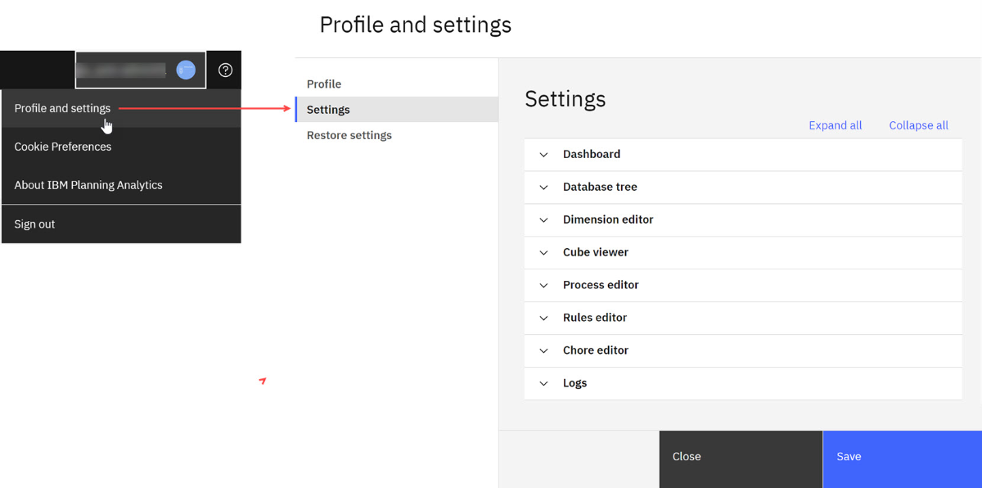
Planning Analytics Workspace 2.1.4 has a great new feature for setting preferences.
Set up workspace preferences centrally - Administrators, Modelers, and Analysts can now utilize one Settings editor to configure options for various Planning Analytics Workspace elements. This editor is not accessible to Consumers. While the Settings editor defines global settings for components and features, you can still modify settings directly in an instance of a component.
Books and Reporting
Action Button references auto update when you copy and paste a book to new location When you copy and paste multiple books from one folder to a different folder, action buttons in the books that reference any other books which are being copied at the same time are automatically updated.
Plot members from the same dimension in certain charts – This option now makes it easier to compare members quickly.
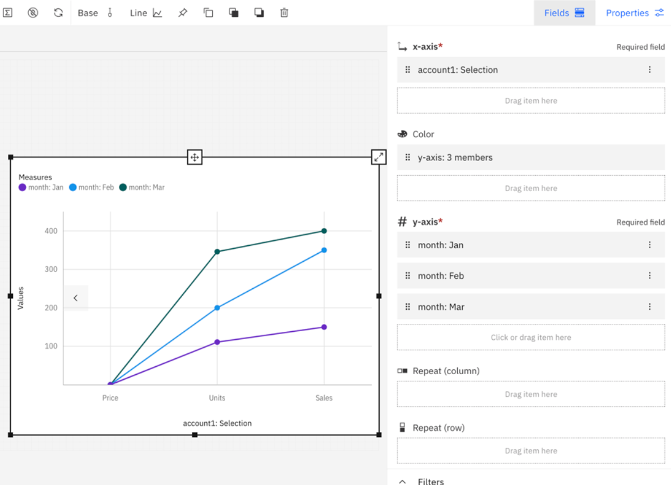
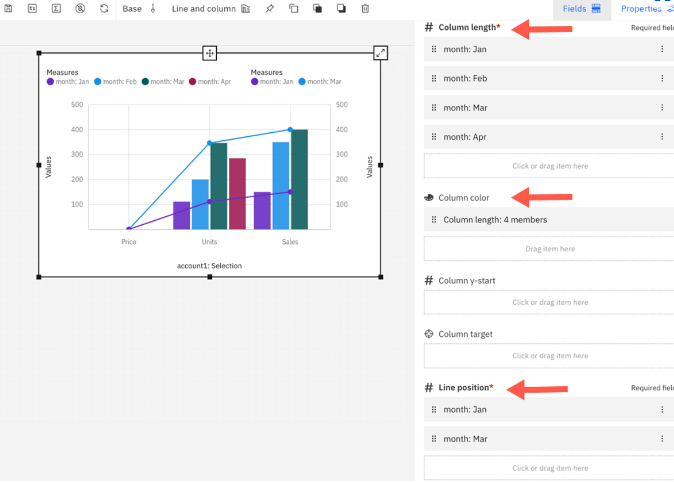
The following visualizations can plot multiple members:
- Column
- Line
- Line and column
- Bar
- Stacked bar
- Stacked column
- Marimekko
- Point
- Area
Format spacer cells in Format Manager - Open the Format Manager from the toolbar and under the View tab, click Spacers to set the background color or to show/hide the line dividers for spacer cells.
You can also modify existing spacer cells, by right-clicking the spacer cells in a view and selecting Spacer format.
Applications and Plans
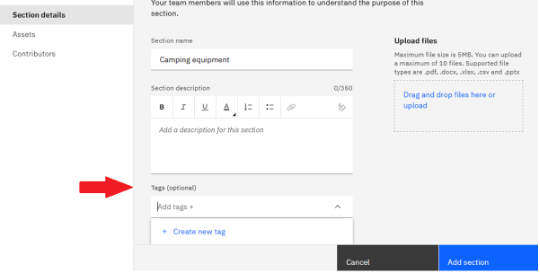
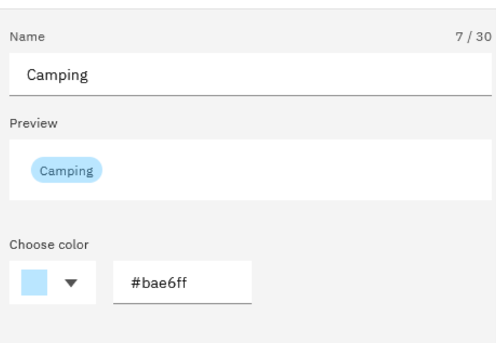
Create color coded tags –
Modeling
Sort hierarchy members in the dimension editor –
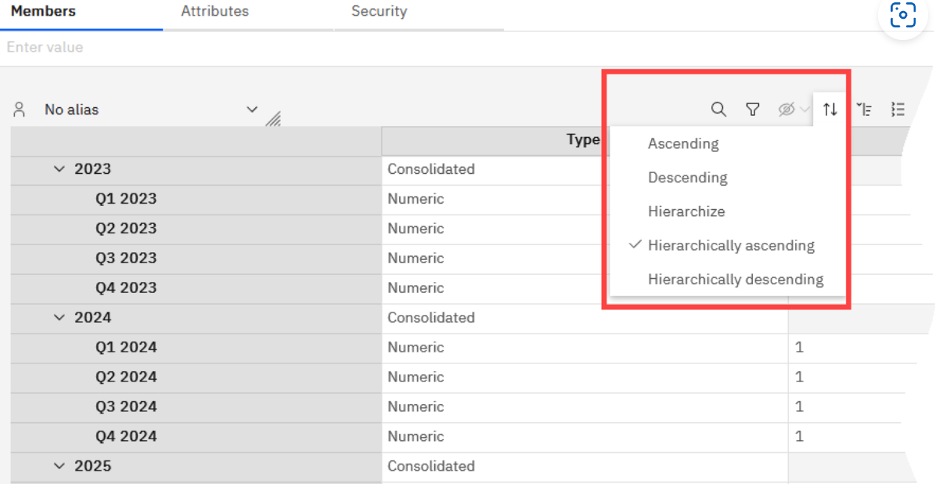
The following sort options are available:
- Ascending - Sort members in ascending order.
- Descending - Sort members in descending order.
- Hierarchize - Organize the members of a specified set into hierarchical order.
- Hierarchically ascending - Sort members within a hierarchy in ascending order.
- Hierarchically descending - Sort members within a hierarchy in descending order.
Administration
Improved user interface for deleting items – There is now a delete icon next to each item in the administration user interface.
Next Steps
Planning Analytics 2.0 end of service was announced a few months ago and at the end of April 2025, you will need to have upgraded to Planning Analytics 2.1 or pay for extended support on Planning Analytics 2.0 to continue to receive support from IBM. Side note, extended support with IBM is expensive. Here is a blog detailing all of the changes and end of support for Planning Analytics 2.0. There are many changes coming and I highly suggest reading this blog. End of Support for Planning Analytics 2.0.9 - Lodestar Solutions
Next, reach out to me at services@lodestarsolutions.com to discuss your unique situation and plan your upgrade. We have several upgrade programs to limit costs and provide a complete upgrade experience with additional support hours included.
Last, contact me at services@lodestarsolutions.com to schedule a demo of Planning Analytics 2.1, specifically, Planning Analytics Workspace 2.1.4 (the latest version at the time of writing) and Planning Analytics for Excel.
Summary
Great things are here with Planning Analytics 2.1 with many additional enhancements and improvements on the roadmap. You can see everything coming soon in this blog. The Future of IBM Planning Analytics - Lodestar Solutions
Start making a plan to upgrade to Planning Analytics 2.1. The end of support in April is coming quickly. We are here to help and look forward to speaking with you soon.
