



Written by Mike Bernaiche, August 22nd, 2024
Data is everywhere, but finding the right information and making sense of it can be challenging. That's why the AI assistant in Cognos Analytics can help you explore your data, create visualizations, and generate insights in natural language. With the enhancements in Cognos Analytics 12, the AI Assistant is excellent. In Cognos 12, the assistant is front and center throughout the product and delivers a true self-service interface to easily and efficiently create and analyze. Below I’m going to summarize many of the things you can do with the AI Assistant in Cognos Analytics
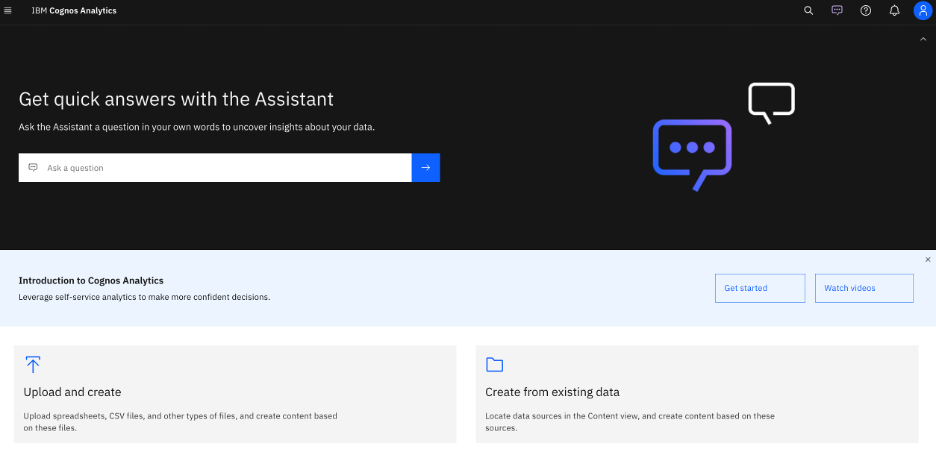
Getting Started
One of the main benefits of the AI assistant in Cognos Analytics is that you can use natural language to interact with your data. You don't need to know any technical terms or syntax, just type or speak your question in plain English and get an answer in the same language.
To start you can simply select a data source directly within the assistant and get started. If you are unsure of what data source you need to use but you know that certain fields are needed. In the example below I simply typed in “market and region” as I knew I needed those fields, and the system search all the data and returns a suggested chart along with all the of the data sources that have “market and region” in the data.
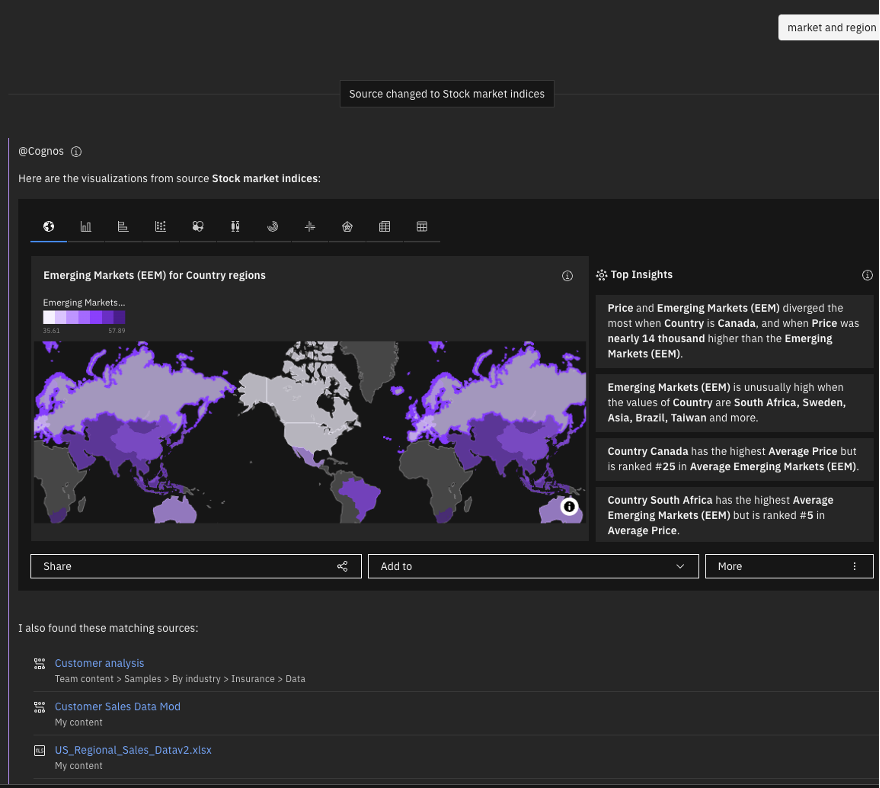
Once you narrow down your data source the fun begins.
For example, you can ask questions like "What are the sales by region and product category in 2020?" or "How does customer satisfaction correlate with revenue?" and get a response in the form of a table, a chart, or a sentence.
The AI assistant in Cognos Analytics can also understand the context of your questions and follow up on them. For example, if you ask "What are the sales by region and product category in 2020?" and then follow up with "How about 2019?", the AI assistant will know that you are referring to the same query with a different filter.
How to use the smart features of the AI assistant to refine your queries and get relevant suggestions
Another benefit of the AI assistant in Cognos Analytics is that it can help you refine your queries and get relevant suggestions based on your data and your intent. The AI assistant can do the following:
- Suggest filters, calculations, aggregations, and other functions to enhance your queries
- Suggest alternative or complementary visualizations to display your data
- Suggest related questions or topics to explore further
- Suggest insights or patterns that you might have missed
For example, if you ask "What are the sales by region and product category in 2020?", the AI assistant might suggest adding a filter for a specific region, changing the chart type to a map, asking a related question like "What are the sales trends by month?", or showing an insight like "Sales in Asia increased by 15% compared to 2019".

How to create dashboards and stories with the AI assistant
The final benefit I will talk about today with the AI assistant in Cognos Analytics is that it can help you create dashboards and stories with your data. Dashboards and stories are interactive and dynamic reports that you can share with your audience to communicate your findings and recommendations.
To create a dashboard or a story with the AI assistant, you just need to follow these steps:
- Ask a question or select a data source
- Choose a layout and a theme for your dashboard or story
- Add more questions or visualizations to your dashboard or story
- Use the AI assistant to get suggestions and insights for your dashboard or story
- Customize your dashboard or story with titles, captions, filters, and other elements
- Save and share your dashboard or story with your audience

Conclusion
The AI assistant in Cognos Analytics is a powerful and intuitive tool that can help you discover insights faster and easier. By using natural language, smart features, and interactive reports, you can get the most out of your data and make better decisions.
There is so much you can do with the AI Assistant in Cognos Analytics, and I would love to take you through my customized demo that starts with loading data from a multi-tabbed Excel file and then letting the system create a data module with relationships. Yes, the system can help automate your data module creation. We will walk through many scenarios with the AI Assistant and finish with an actionable dashboard. Reach out to me at services@lodestarsolutions.com and schedule your session today.
To find all things AI Assistant in Cognos Analytics please see this link. Assistant panel - IBM Documentation